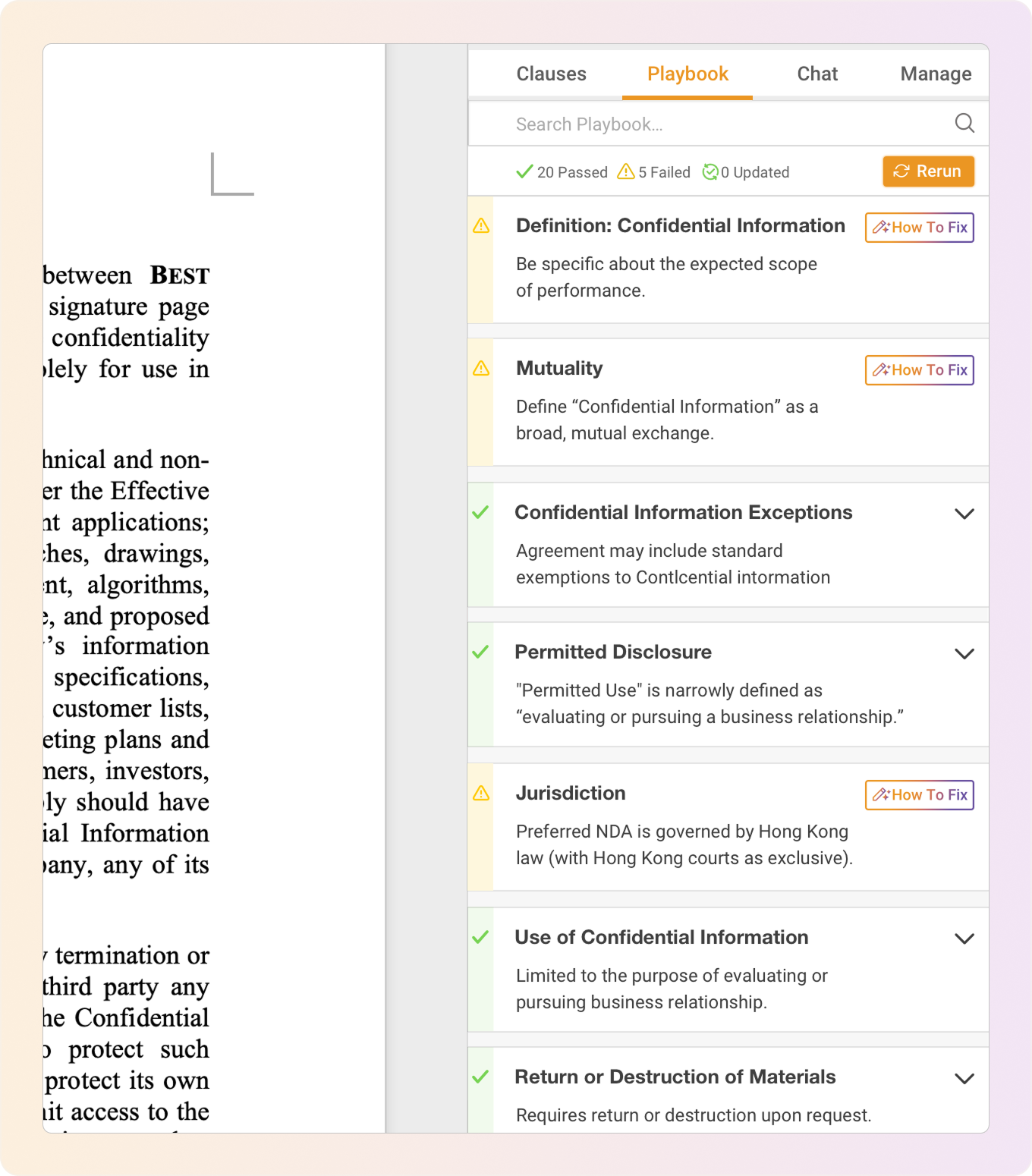
Draft, review, and redline contracts directly in Word.
DraftPro helps legal teams apply approved playbooks, find trusted clause language, and prepare lawyer-controlled redlines without leaving Microsoft Word.
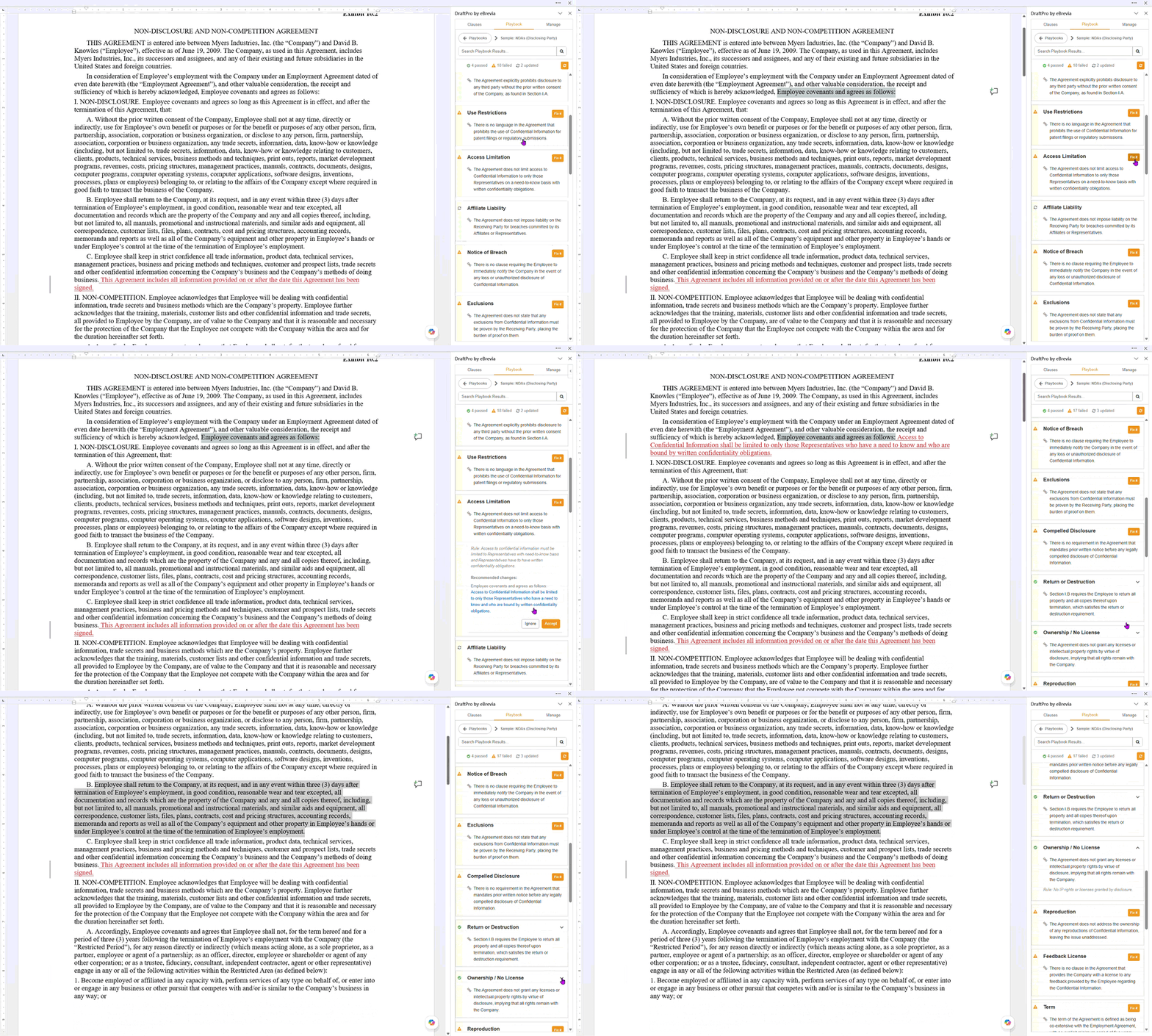
DraftPro is built for the contract work lawyers actually do.
Legal teams are rarely starting from nothing. They are reviewing third-party paper, checking provisions against internal standards, negotiating edits, and reusing trusted language from prior agreements.
DraftPro brings that work into a Word-native workflow: apply playbooks, understand deviations, search clause language, and prepare redlines while lawyers stay in control of every change.
Run playbooks
Check agreements against approved legal standards and see which terms pass, fail, or need review.
Prepare redlines
Move from issue spotting to suggested edits that reviewers can accept, ignore, or revise.
Reuse clauses
Find language from prior agreements stored in eBrevia and use it to support revisions.
Stay in Word
Keep the drafting experience familiar so adoption does not require a completely new workspace.
From third-party paper to negotiation-ready redline.
DraftPro is designed around the flow of contract review: understand the draft, compare it to standards, generate targeted edits, and move forward with confidence.
Open the draft in Word
Start in the environment lawyers already use for review, drafting, and negotiation.
Run the right playbook
Apply standards for NDAs, MSAs, vendor agreements, employment agreements, and other repeat workflows.
Review deviations
See which provisions pass, fail, or need attention with context for why they matter.
Apply controlled edits
Accept suggested changes as Word redlines only when the reviewer decides they are appropriate.
Apply legal standards where the contract is being edited.
DraftPro helps reviewers check the draft against the organization’s preferred positions and fallback language. Instead of relying on memory, scattered guidance, or prior deal folders, teams can apply standards inside the document.
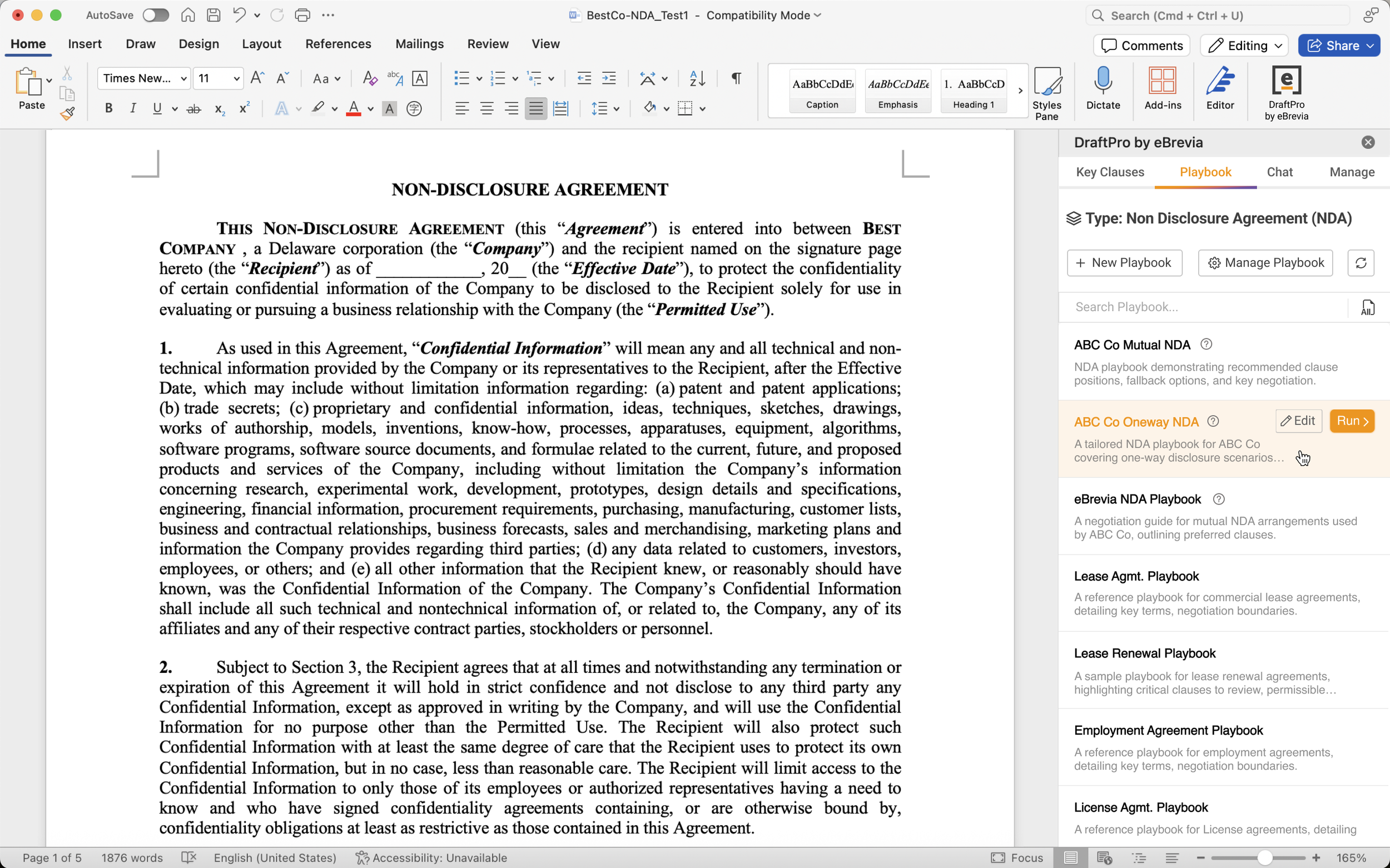
- Run approved playbooks directly from the Word add-in.
- Identify missing, non-standard, or unfavorable language.
- Understand why a provision passed or failed.
- Support more consistent review across lawyers and teams.
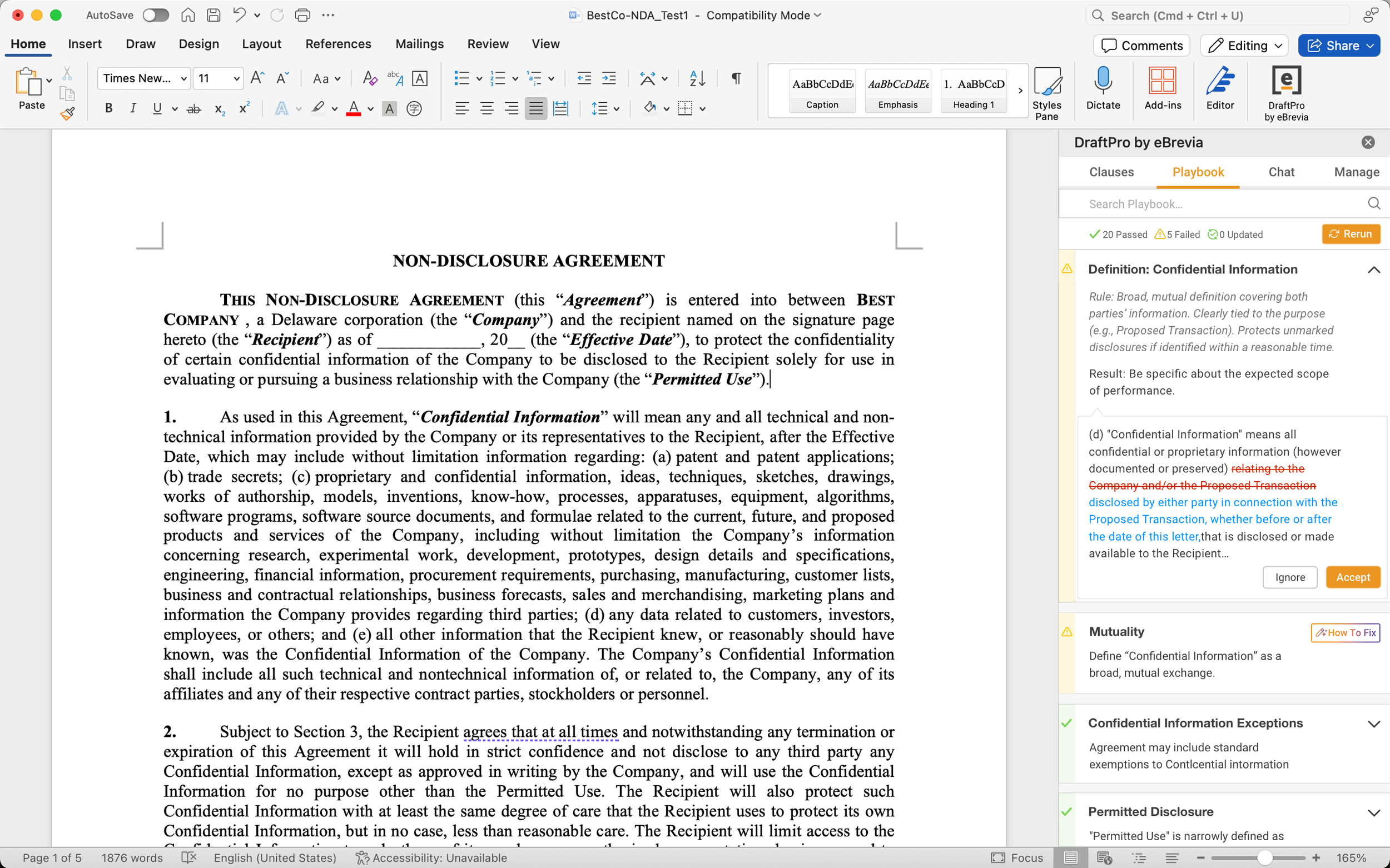
Turn review findings into edits the lawyer can control.
When a provision does not match the playbook, DraftPro can suggest targeted language. Reviewers can evaluate the recommendation and apply it as a visible redline in Word.
- Move faster from issue spotting to contract revision.
- Keep edits visible for negotiation and counterparty review.
- Preserve lawyer judgment over every accepted change.
- Reduce repetitive drafting without giving up control.
Find language from the agreements your team already trusts.
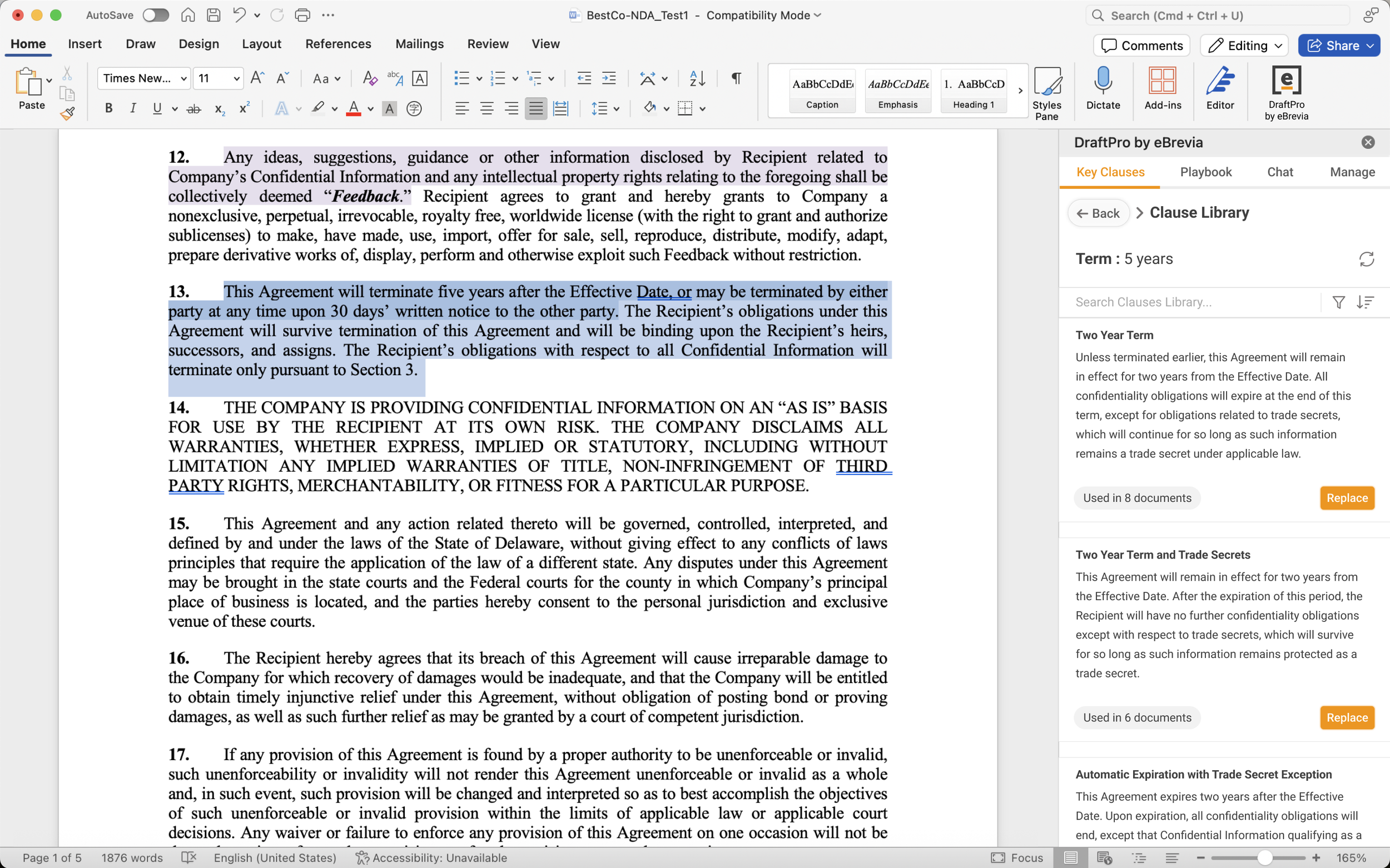
DraftPro can help legal teams locate useful clause language from prior agreements in eBrevia, reducing the time spent searching old folders, emails, and one-off precedent documents.
- Search clause language from agreements stored in eBrevia.
- Use context such as document type, project, matter, or jurisdiction.
- Insert or replace provisions during drafting and revision.
- Make preferred language easier to reuse across the business.
Useful across the repeat contracts legal teams review every day.
Start with common contract types, then adapt DraftPro playbooks and clause guidance to the standards your team already uses.
NDAs and confidentiality
Review scope, use restrictions, survival, disclosure rules, and return or destruction language.
Commercial and vendor
Support MSAs, vendor agreements, supply agreements, purchase orders, and sales agreements.
Employment and services
Check repeat agreements involving employees, consultants, contractors, and service providers.
Data, privacy, and tech
Review terms in DPAs, software licenses, privacy agreements, IP licenses, and technology contracts.
Corporate and finance
Support repeat review in investment, lending, governance, and strategic transaction workflows.
Real estate and operations
Bring consistency to leasing, facilities, operational, insurance, and real-estate-related agreements.
Post-signature docs
Use the same approach for amendments, renewals, notices, terminations, assignments, and releases.
Custom playbooks
Adapt guidance for industry-specific workflows, internal standards, and preferred fallback positions.
Give reviewers a faster path from draft to decision.
DraftPro supports the people responsible for turning contract standards into consistent edits, without making them leave the tools they already use.
Law firms
Help deal teams review repeat agreements faster while keeping review quality and lawyer judgment front and center.
- Junior associate enablement
- Repeat-document review
- Preferred position guidance
Corporate legal
Standardize how business contracts are reviewed, escalated, and redlined across legal operations.
- Vendor and sales agreements
- Playbook consistency
- Faster intake-to-redline cycles
Legal ops and innovation
Turn AI drafting into a governed workflow that connects with eBrevia analysis, clause data, and implementation support.
- Playbook rollout
- Secure AI adoption
- Workflow design with Advisory
DraftPro is not generic drafting AI.
It is a contract review and redlining workflow built around playbooks, precedent clauses, and legal control.
Built for sensitive contract work.
DraftPro builds on eBrevia’s contract intelligence platform, so legal teams can support AI-assisted review and drafting with enterprise security, access controls, and implementation discipline.
DraftPro FAQ
Keep this section for SEO and AI search visibility, but make it cleaner than the current page.
What is DraftPro?
Does DraftPro work in Microsoft Word?
Is DraftPro only for creating first drafts?
Can DraftPro suggest contract edits?
Does DraftPro include a clause library?
Does DraftPro replace lawyers?
Show us the contracts your team redlines every week.
We’ll walk through how DraftPro can support your playbooks, clause language, Word redlines, and broader eBrevia contract workflows.