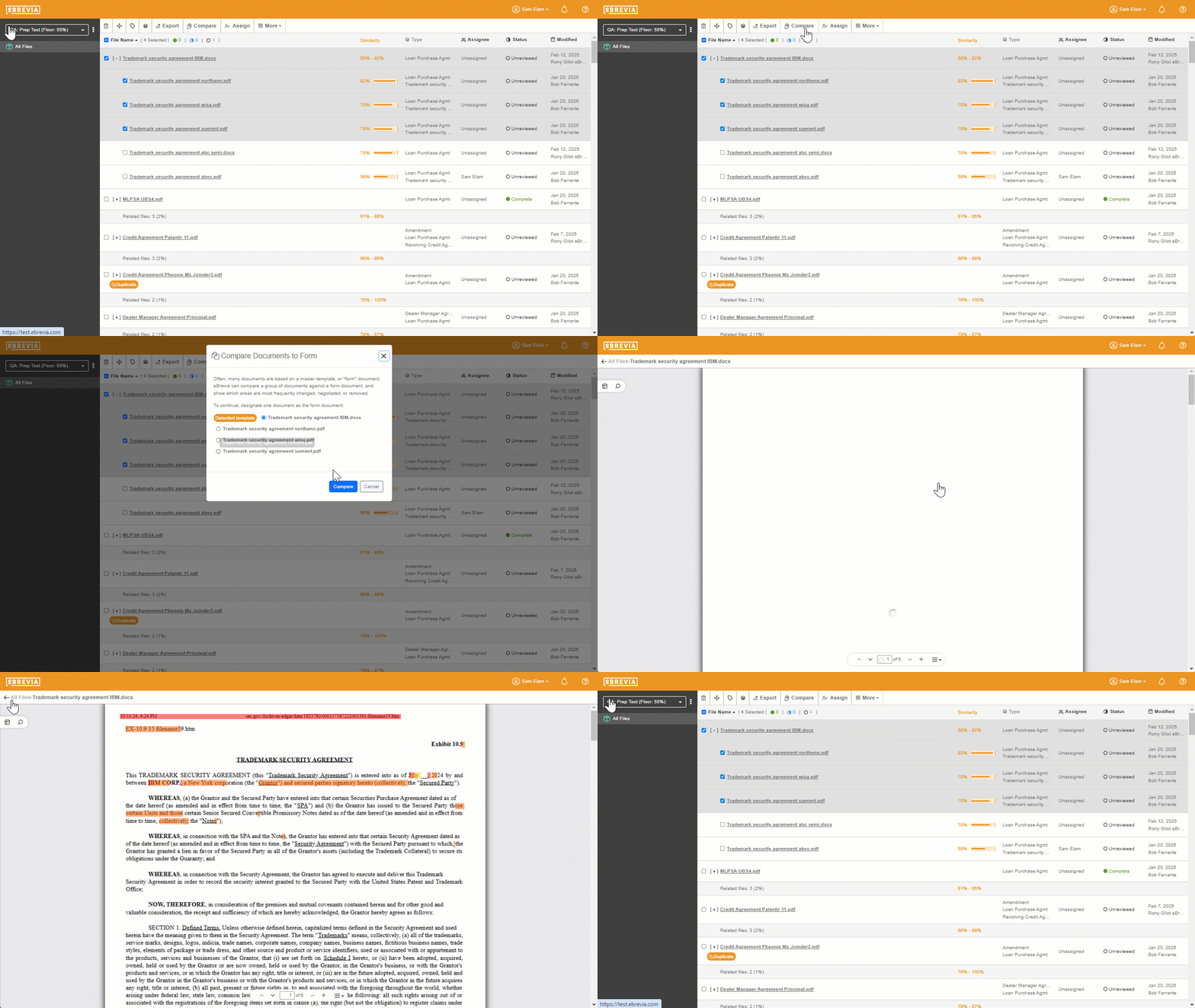
Side-by-Side Contract Comparison
Compare Faster. Review Smarter. Reduce Risk.
As artificial intelligence becomes a standard tool for contract review, analysis, drafting, and negotiation, the conversation often focuses on accuracy, clause extraction, and automation. Equally important — but discussed less frequently — is the user interface that lawyers interact with every day.
One feature that consistently improves efficiency and accuracy is the ability to view two contracts side by side in independently scrolling windows. For legal professionals handling high volumes of agreements or complex negotiations, this capability is more than a convenience; it can fundamentally change how contract analysis is performed.
This article explores why dual-window contract viewing is valuable, how it supports legal workflows, and what to consider when evaluating AI contract review platforms.
What Is Side-by-Side Contract Viewing?
Side-by-side viewing allows a lawyer or reviewer to open two documents simultaneously — for example, a counterparty draft and a company template — and scroll through each independently rather than in a synchronized or tab-switching interface.
Independent scrolling is key. Contracts are rarely the same length, structure, or formatting, and lawyers often need to compare specific clauses rather than entire documents in sequence.
Faster Clause Comparison and Contract Deviation Analysis
One of the most common legal review tasks is identifying where a contract diverges from a standard template or playbook. Examples include:
Vendor agreement vs. approved vendor template
Customer contract vs. sales playbook language
New NDA vs. previously negotiated NDA
Policy or compliance framework vs. contract clauses
Side-by-side viewing lets lawyers align relevant sections directly, even when the documents differ significantly in structure. Instead of switching tabs and relying on memory, reviewers can visually compare wording in real time.
Improved Contract Version Control Without Redline Clutter
Traditional redlining tools are useful, but heavily negotiated contracts can become visually dense and difficult to read. A dual-window view offers a cleaner alternative:
Full clause readability instead of fragmented edits
Easier contextual understanding of changes
Reduced visual noise from tracked changes
This is particularly helpful when AI tools suggest revisions or highlight risks. Lawyers can assess both the original and proposed language simultaneously, improving clarity and confidence in decision-making
Improved Contract Risk Assessment and Issue Spotting
Legal review is often about answering targeted questions quickly:
Did the indemnity cap change?
Is termination still mutual?
Has governing law shifted jurisdictions?
Were liability carve-outs modified?
With two independently scrolling windows, reviewers can jump directly to relevant clauses and compare wording without losing their place. Over hundreds or thousands of agreements, these micro-efficiencies translate into substantial time savings.
Validating AI-Generated Contract Insights with Side-by-Side Review
AI contract tools frequently provide:
Extracted clauses
Risk scores or alerts
Suggested fallback language
Playbook comparisons
Summaries or highlights
A side-by-side interface allows lawyers to validate AI findings against the full contract text instantly. This reduces the risk of over-reliance on summaries and reinforces professional judgment. The result is a more balanced workflow where automation supports — rather than replaces — legal expertise.
Reduced Cognitive Load to Improve Contract Review Accuracy
Constantly toggling between tabs or documents increases mental strain and raises the likelihood of missing subtle differences in wording. Dual-window viewing helps preserve visual context and reduces memory reliance.
This becomes especially important for complex agreements such as:
Master Service Agreements (MSAs)
Licensing and IP contracts
Financing documents
Partnership agreements
Data processing agreements
Lower cognitive load contributes directly to higher review accuracy and more consistent outcomes.
Enhanced Cross-Functional Contract Collaboration
Contracts are rarely reviewed by legal teams alone. Procurement, sales, finance, and compliance stakeholders often need to understand or approve changes. A side-by-side view makes it easier to:
Walk through differences on live calls
Show approved language next to proposed edits
Train non-legal staff on standard clauses
Align cross-functional expectations
In this sense, dual-window viewing functions as both a legal analysis tool and a communication aid.
Key Features to Look for in AI Contract Review Software
When evaluating contract AI platforms, organizations often focus on automation capabilities, but interface design deserves equal attention. Useful features include:
Independent scrolling windows
Clause highlighting and linking
Template or playbook comparison tools
Clean visual formatting for long agreements
Easy navigation between flagged risks and full text
Several legal AI platforms, including eBrevia, offer side-by-side contract viewing as part of their review environment. For many legal teams, this capability supports faster analysis without adding workflow complexity.
Transforming AI Contract Review from Passive Reading to Active Contract Analysis
Contracts are not linear or uniform documents. Lawyers rarely read two agreements from top to bottom at the same pace; instead, they jump between sections, compare targeted clauses, and validate context continuously.
A dual-window interface transforms AI contract review from a passive reading experience into an active analytical workspace. The result is improved speed, stronger accuracy, and greater confidence in legal decision-making — benefits that extend across departments and contract types.